
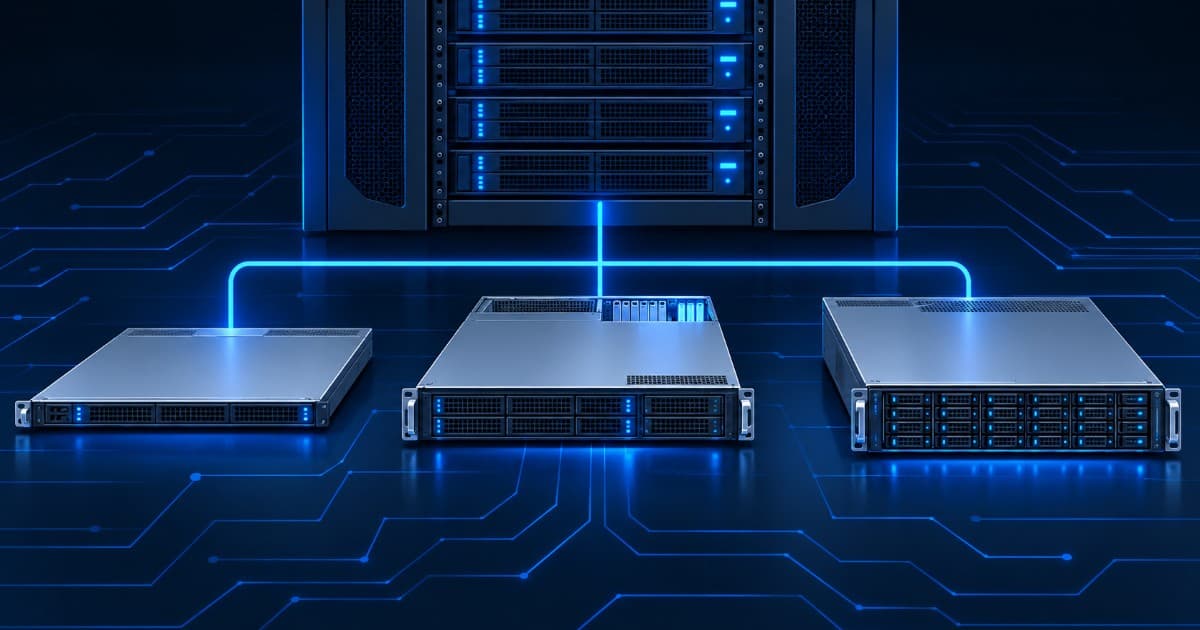
Dell PowerEdge R630 vs R730 vs R730xd: Which 13th-Gen Server Should You Buy?
Short answer: choose the R630 if rack space matters and 10 small drives are enough, the R730 if you want PCIe slots, a GPU option or 3.5-inch drives in a general-purpose server, and the R730xd if you need as many drives as possible for storage, backup or a file server. All three are 13th-generation Dell PowerEdge servers with up to two Intel Xeon E5-2600 v3 or v4 processors, 24 DDR4 slots, redundant power supplies and iDRAC8, so the choice is mostly about the chassis.
Key takeaways
- R630: 1U, up to ten 2.5-inch drives (or eight, or twenty-four 1.8-inch), two or three low-profile PCIe slots.
- R730: 2U, up to eight 3.5-inch or 2.5-inch drives, or sixteen 2.5-inch drives, seven PCIe slots, a documented GPU procedure.
- R730xd: 2U, built for storage, with up to twelve 3.5-inch front drives plus rear drives, and bigger options up to twenty-four 2.5-inch drives. Dell's manual shows no GPU installation procedure for it.
- Memory: all three have 24 DDR4 slots. The R730 and R730xd accept 128 GB LRDIMMs for a 3,072 GB maximum, the R630 tops out at 1,536 GB.
- Intel has ended servicing updates for the E5-2600 v3 and v4 families, so plan the security of the network around the server.
This guide is for IT admins, small businesses and resellers in India who are searching for Dell PowerEdge R730, R630 vs R730, Dell R730xd or the best Dell 13G server. Every specification below comes from Dell's own owner's manuals and Intel's processor pages, read on 2 November 2026. We list no prices here, because they change with the configuration; ask us for a current quote.
R630, R730 and R730xd side by side
| Feature | PowerEdge R630 | PowerEdge R730 | PowerEdge R730xd |
|---|---|---|---|
| Rack size | 1U | 2U | 2U |
| Processors | Up to two Intel Xeon E5-2600 v3 or v4 | Up to two Intel Xeon E5-2600 v3 or v4 | Up to two Intel Xeon E5-2600 v3 or v4 |
| Memory slots | 24 DDR4 (RDIMM or LRDIMM) | 24 DDR4 (RDIMM or LRDIMM) | 24 DDR4 (RDIMM or LRDIMM) |
| Maximum memory (dual CPU) | RDIMM 768 GB, LRDIMM 1,536 GB | RDIMM 768 GB, LRDIMM 3,072 GB | RDIMM 768 GB, LRDIMM 3,072 GB |
| Front drive options | 8 or 10 x 2.5-inch, or 24 x 1.8-inch | 8 x 3.5-inch or 2.5-inch, or 16 x 2.5-inch | 12 x 3.5-inch, or 24 x 2.5-inch, plus other combinations |
| Extra drive bays | Four optional NVMe SSDs on the 10-drive chassis | None listed | Two optional 2.5-inch rear drives; four 3.5-inch in a mid tray on the 18-drive build; up to four U.2 NVMe on the 24-drive build |
| PCIe slots (PCIe 3.0) | Two or three low-profile | Seven (full-height and low-profile) | Six |
| GPU | One note mentions a 75 W single-wide GPU in one configuration | Documented: up to 2 double-wide or 4 single-wide | No GPU procedure in the manual |
| Power supplies | Two, 495 W, 750 W or 1100 W AC, or 1100 W DC | Two, 495 W, 750 W or 1100 W AC, or 1100 W DC | Two, 495 W, 750 W or 1100 W AC, or 1100 W DC |
| Remote management | iDRAC8 | iDRAC8 | iDRAC8 |
| Maximum weight (Dell) | 16.9 to 18.5 kg | About 31.5 kg | 30.4 to 36.5 kg |
Sources are Dell's PowerEdge R630, R730 and R730xd owner's manuals (technical specification chapters). Drive and power options depend on how the individual unit was built, so always confirm the configuration of the exact server you are buying.
Which server is each one for?
The R630 is the compact choice. At 1U it fits more servers into a rack, and ten 2.5-inch bays are enough for a virtualization host, an application server or a firewall-style appliance. Its limit is expansion. The manual lists two or three low-profile PCIe slots depending on the chassis, and a 75 W single-wide GPU is mentioned only in a temperature note for one configuration, so do not plan around a GPU.
The R730 is the all-rounder. The 2U chassis has seven PCIe 3.0 slots, either 3.5-inch drives for cheap capacity or sixteen 2.5-inch drives, and the largest memory ceiling of the family. It is also the only one of the three with a GPU procedure in the manual.
The R730xd is the storage specialist. The xd stands for extended disk. Dell lists configurations with twelve 3.5-inch drives at the front and two optional 2.5-inch drives at the back, a build with four more 3.5-inch drives in a mid tray, and a build with twenty-four 2.5-inch drives. For a file server, backup target, NAS built on Linux or Windows, or a storage node in a virtualization cluster, it is the natural fit.
Drive bays and storage controllers
Drives are the main reason to pick one model over another. Count the capacity you need, then check which backplane the unit has, because Dell sold each model in several chassis options. The R630 manual lists PERC S130, H330, H730 and H730P controllers for its backplanes, and the R730 and R730xd manuals show the H730P and the external-storage H830 in their expansion card tables. A hardware RAID controller with cache is useful for a busy database or virtual machine host, while a simpler controller is fine for a file server that is mostly read. Our RAID controller guide covers the options, and the NAS-style builds belong with the NAS, SAN and DAS comparison.
RAID keeps the server running when a disk fails. It does not protect against deleted files, ransomware or a failed controller, so keep a separate backup. See the backup server setup guide.
PCIe slots and GPU support
Dell's manuals list PCI Express generation 3 slots on risers. The R630 has two slots on its two-riser chassis and three on its three-riser chassis, all low-profile. The R730 offers seven slots, three half-height low-profile on riser 1 and four full-height on risers 2 and 3. The R730xd table lists six.
For GPUs, the R730 manual has a dedicated section. It says both processors must be installed and rated 135 W or less, a GPU enablement kit with low-profile heat sinks and power cables is required, all GPU cards must be the same type, and the ambient inlet temperature is restricted to 30 degrees C. It allows up to two double-wide or four single-wide cards, and asks for the 1100 W power supplies. Dell's manual adds that a configuration with an NVIDIA K80 needs both power supplies set to non-redundant mode. A 13th-generation server is a reasonable host for a small inference or rendering card, but for serious GPU work see our GPU servers.
Processors and memory: E5-2600 v3 vs v4
All three servers take either Intel Xeon E5-2600 v3 (Haswell generation) or v4 (Broadwell generation) processors. The two generations are not identical. Using the top models in each family as examples, Intel's pages list the E5-2699 v3 with 18 cores and DDR4-1600, 1866 and 2133 memory, and the E5-2699 v4 with 22 cores and DDR4-1600, 1866, 2133 and 2400 memory. Both have four memory channels per processor, 40 PCIe lanes and a 145 W TDP. A v4 unit therefore offers more cores and faster memory than a v3 unit for the same chassis, and when two quotes look similar, the processor generation is worth asking about.
Intel lists both families as discontinued, and the end of servicing updates date is 31 December 2021 for the E5-2699 v3 and 30 June 2022 for the E5-2699 v4. In practice this means Intel will not publish further updates for these processors. It does not make the servers unusable, but keep them behind a firewall, apply the latest Dell BIOS and iDRAC firmware you can get, and read our guide on end of life and end of support before you buy.
On memory, Dell lists 24 slots, supporting registered DIMMs (RDIMM) and load-reduced DIMMs (LRDIMM). The R730 and R730xd manuals give 384 GB (one processor) and 768 GB (two processors) with RDIMMs, and 1,536 GB and 3,072 GB with LRDIMMs. The R630 manual lists 64 GB as its largest LRDIMM, so it reaches 1,536 GB. You cannot mix RDIMM and LRDIMM in one server, so decide which type you will use before buying extra memory. Our server RAM guide covers DDR4 options, and the upgrade guide shows what you can add later.
Power, weight and placement
Each model has two hot-swap power supplies, in AC or DC. Dell lists 495 W, 750 W and 1100 W AC units (Platinum class, and a Titanium class 750 W), and a 1100 W DC unit. A server with two supplies can keep running if one fails, but only when each supply is connected to its own circuit and ideally to a UPS. See the UPS sizing guide and how much server power your business needs.
Dell's continuous operating temperature is 10 to 35 degrees C. The R630 weighs 16.9 to 18.5 kg and fits a 1U slot, while the R730 and R730xd weigh 30 to 36 kg fully loaded, so check your rack rails and the floor or shelf. Placement, noise and cooling are covered in the server placement guide.
Which one should you pick for your workload?
| Workload | Best fit | Why |
|---|---|---|
| Virtualization host (VMware, Proxmox) | R630 or R730 | 24 memory slots and two processors; R730 if you also need extra network or storage cards. See the VMware and Proxmox guide |
| File server, backup target, NAS | R730xd | The most 3.5-inch bays, and rear and mid-tray bays on some builds |
| ERP, accounting, small database | R630 or R730 | Moderate drives and memory; pick the size that suits your rack |
| Small GPU or video workload | R730 | The only one with a GPU procedure in Dell's manual |
| Space-limited rack | R630 | 1U form factor |
| Active Directory and file shares | R630 or R730 | See the file server setup guide |
13th generation or 14th generation?
The 13th generation (R630, R730, R730xd) uses Intel Xeon E5-2600 v3 and v4 processors and DDR4 memory. The 14th generation (R640, R740) moves to Intel Xeon Scalable processors, the platform of newer software and drivers. Our R740 vs R640 comparison covers that step. The 13th generation is the budget route and a sensible one for file, backup, virtualization and ERP workloads that do not need the newer platform. If your software vendor lists a minimum platform, follow that. Read refurbished vs new servers if you are weighing a new build as well.
Checks before you buy a refurbished 13G server
- Which processor generation, v3 or v4, and how many are installed?
- How much memory is fitted, which type (RDIMM or LRDIMM), and how many slots are free?
- Which drive chassis (8, 10, 12, 16, 18 or 24 bays) and which RAID controller, with or without cache?
- Two power supplies of what wattage, and do both work?
- Are the iDRAC settings reset, and do you have the login? See how to reset the iDRAC password and the iDRAC licence guide.
- Is the unit covered by warranty, and for how long? See how to check warranty by serial number.
- What tests will you run on day one? Use the post-delivery testing checklist.
Why buy a Dell 13G server from Serverwale?
Serverwale sells refurbished Dell PowerEdge servers across India, tested before dispatch and backed by a comprehensive 1-year hardware warranty, with extended cover available at extra charge (see our policy page). We can also supply these servers on rent through Dell server rental, cover them after warranty with a server AMC, and compare brands on Dell vs HP servers. Browse refurbished servers in India or read our guide to the best refurbished Dell PowerEdge servers. Current stock changes, so ask us what is available.
Frequently asked questions
What is the difference between the Dell R630 and the R730?
The R630 is a 1U server and the R730 is a 2U server, and that size decides almost everything else. Both take up to two Intel Xeon E5-2600 v3 or v4 processors, 24 DDR4 memory slots, two redundant power supplies and iDRAC8. The 2U R730 has more room for drives (up to 16 x 2.5-inch or 8 x 3.5-inch), seven PCIe slots instead of two or three low-profile ones, and a documented GPU installation procedure. The R630 saves rack space and takes up to ten 2.5-inch drives.
Is the Dell R730xd good for a NAS or file server?
Yes, it is the 13th-generation model built for that job. Dell's owner's manual lists up to twelve 3.5-inch front drives plus two optional 2.5-inch rear drives, and the larger configurations add four more 3.5-inch drives in a mid tray or go up to twenty-four 2.5-inch drives. Pair it with a RAID controller that suits your drive count and keep a separate backup, because RAID protects against a failed disk and nothing else.
How much RAM can a Dell R730 support?
Dell lists 24 DDR4 memory slots on the R730. With registered DIMMs (RDIMMs) the manual gives 384 GB with one processor and 768 GB with two. With load-reduced DIMMs (LRDIMMs) it gives up to 1,536 GB with one processor and 3,072 GB with two, using 128 GB modules. The R630 manual lists 64 GB as its largest LRDIMM, so it tops out at 1,536 GB. Real units are usually fitted with far less, so check what is installed.
Can I put a GPU in a Dell R730?
Dell documents it for the R730. The manual's GPU guidelines say both processors must be installed and rated 135 W or less, a GPU enablement kit is needed, all GPUs must be the same model, and the ambient inlet temperature is restricted to 30 degrees C. It allows up to two double-wide or four single-wide cards and asks for the 1100 W power supplies. The R730xd manual has no GPU installation section, so choose the R730 if a GPU matters. For serious GPU work, newer GPU servers are a better fit.
Is it worth paying more for an R740 instead of an R730?
It depends on how long you want the server to stay current. The R740 is 14th generation and takes Intel Xeon Scalable processors, which brings newer platform features, and our comparison of the R740 and R640 explains that generation. The 13th generation is the lower-cost route for file, backup, virtualization and ERP workloads that do not need the newer platform. Check your software's own requirements before you decide.
Do the R630, R730 and R730xd all use iDRAC8?
Yes. Dell's owner's manuals for all three refer to iDRAC8, the remote management controller. iDRAC8 and earlier versions use root and calvin as the default login, but a refurbished unit has usually been reconfigured by an earlier owner. See our guide to resetting the iDRAC password on a second-hand server if you are locked out.
Ask us about a Dell 13G server before you order
Tell us the number of drives, the memory and the workload you need, and we will tell you which of the R630, R730 or R730xd we can supply and what is installed in it. Call or WhatsApp +91-87962-44410, message us on WhatsApp, or use the contact page. Serverwale, Burari, Delhi 110084.
Sources: Dell PowerEdge R630, R730 and R730xd Owner's Manuals (R630, R730, R730xd); Intel ARK, Xeon E5-2699 v3 and Xeon E5-2699 v4.