
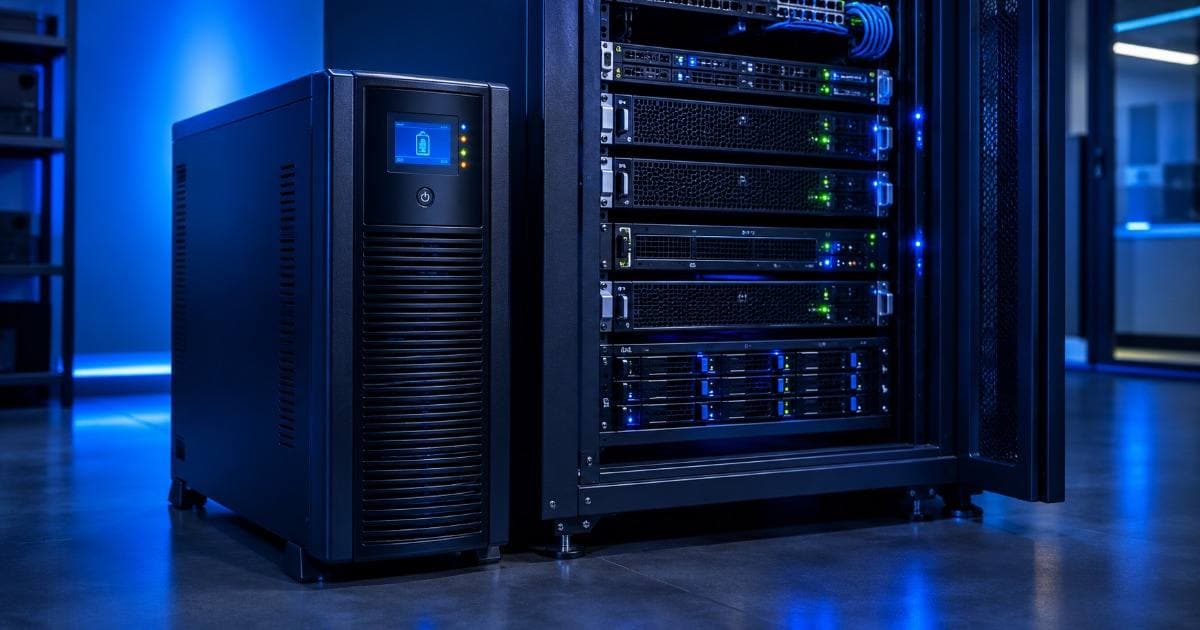
UPS & Power Backup Sizing for a Small Business Server Room
Quick answer: size your UPS for your total IT load (the combined real power draw of every server, switch, firewall, and NAS in the room) plus 25-30% headroom for future growth, then check that against how many minutes of runtime you actually need. For most setups under 10 servers, that means an online double-conversion UPS in the 3-10 kVA range with 30-45 minutes of runtime — the exact number depends on your equipment and how long a typical outage lasts in your area.
VA vs Watts — Get This Right First
UPS capacity is usually sold in VA (volt-amps), but your equipment's power draw is measured in watts — and the two are not the same number. The relationship is Watts = VA × Power Factor. Most modern IT equipment (servers, switches, NAS units) has a power factor around 0.9-0.99, while a UPS's own rated power factor is usually printed on its spec sheet, commonly 0.9 for online double-conversion units.
In practice: a UPS rated 6000VA at a 0.9 power factor delivers roughly 5400W of real load capacity — not 6000W. Sizing off the VA number alone, without checking the power factor, is one of the most common ways a server room UPS ends up undersized.
How to Calculate Your Server Room's Actual Load
Add up the rated power (in watts) of every device that needs to stay up during an outage — servers, network switches, firewall/router, NAS, and any rack-mount monitor or KVM. Server PSU nameplates list a maximum rating, but real sustained draw under typical load is usually 50-65% of that nameplate figure, not the full number — so a server with a 750W PSU rarely actually pulls 750W continuously in normal operation.
Once you have a realistic total load, add the 25-30% headroom for growth and inrush current (the brief power spike when equipment first powers on draws more than its steady-state rating). That final number, converted back to VA using your UPS's power factor, is the capacity you shop for.
How Much Runtime Do You Actually Need?
Runtime is a separate decision from capacity, and it depends entirely on what you're protecting against:
- Bridging a short grid outage until mains or a generator kicks in — if your area has reliable power with occasional brief cuts, 15-30 minutes is often enough.
- A graceful, unattended shutdown — if nobody is on-site to react, size for however long your servers take to shut down cleanly plus a safety margin, commonly 10-20 minutes.
- Genuinely riding out a longer outage — for anything beyond 45-60 minutes, a larger UPS battery bank becomes expensive fast; a diesel generator is usually the more cost-effective answer once you're past that point, with the UPS just bridging the gap until the generator is online.
A longer runtime always means a larger and more expensive battery bank for the same load — there's no way around that trade-off, so it's worth being honest about which of the three scenarios above actually matches your risk.
Online vs Line-Interactive UPS — Which One for a Server Room?
A line-interactive UPS corrects minor voltage sags and surges without switching to battery, but still has a brief transfer time (a few milliseconds) when it does switch to battery power on a real outage — usually fine for a desktop, riskier for a server that's sensitive to even a momentary power interruption.
An online (double-conversion) UPS continuously runs equipment off its inverter, converting incoming AC to DC and back to clean AC — so there is effectively zero transfer time on an outage, and it also fully isolates your servers from voltage fluctuations, which matters given how common unstable grid voltage is across Indian cities. For a business-critical server room, online double-conversion is the safer default; line-interactive is a reasonable cost trade-off only for genuinely non-critical equipment on the same circuit.
A Practical Sizing Range by Setup Size
These are general planning ranges based on the calculation method above, not a substitute for adding up your own equipment's real wattage — treat them as a starting point to sanity-check your own numbers against.
| Setup | Typical Real IT Load | Indicative UPS Capacity | UPS Type |
|---|---|---|---|
| 1-2 tower servers, small office | 0.3-0.8 kW | 1-2 kVA | Line-interactive or entry online |
| Small rack, 3-6 servers + switch | 1-2.5 kW | 3-5 kVA | Online double-conversion |
| Growing business, full rack incl. NAS | 2.5-5 kW | 6-10 kVA | Online double-conversion, N+1 if budget allows |
For the exact runtime you should plan for at each of these sizes, see the power planning table in our small data center setup guide — this post focuses on getting the UPS capacity and type decision right; that guide covers how UPS fits alongside rack, cooling, and networking choices for the room as a whole.
Common UPS Sizing Mistakes
- Sizing off VA instead of watts — covered above, the single most common error.
- Ignoring inrush current — equipment draws more than its steady-state rating for a moment at power-on; a UPS sized with zero headroom can trip under this spike even if it handles steady load fine.
- No maintenance bypass — on a larger online UPS, a bypass switch lets you service or swap the unit without taking the server room down; easy to skip when budgeting, expensive to retrofit later. A rack-mount UPS also eats real rack space (commonly 2U-4U) — plan for it when you're working out your rack layout, not after.
- Forgetting network gear — a switch, firewall, or router left off the UPS defeats the purpose; your servers stay up but lose connectivity the moment mains drops.
- Treating a 30-45 minute UPS as a full disaster-recovery plan — it buys you a graceful shutdown or bridges a short cut, not protection against a multi-hour outage; that needs a generator.
Why This Still Matters Even With Well-Tested Refurbished Hardware
Good UPS sizing protects your hardware investment regardless of whether the servers themselves are new or refurbished — an unclean shutdown from an under-provisioned UPS is just as hard on a drive array either way. What refurbished buying changes is the budget math: every rupee saved on tested, warranty-backed refurbished servers is a rupee that can go toward getting the power side — UPS, PDU, earthing — properly sized instead of cut as an afterthought. And if a power event does stress a component, having an active server AMC in place means a known response time and stocked spares rather than scrambling to diagnose the damage yourself.
Frequently Asked Questions
How many kVA UPS do I need for a small server room?
It depends on your actual equipment load, but as a general planning range: 1-2 tower servers typically need 1-2 kVA, a small rack of 3-6 servers usually needs 3-5 kVA, and a growing setup with a full rack plus NAS typically needs 6-10 kVA. Always add up your real equipment wattage and 25-30% headroom rather than relying on a generic number alone.
What is the difference between VA and watts when sizing a UPS?
Watts is the real power your equipment draws; VA (volt-amps) is how UPS capacity is usually rated, and the two are related by the power factor (Watts = VA × Power Factor). A UPS rated 6000VA at 0.9 power factor delivers about 5400W of real capacity, not the full 6000W — check the power factor before sizing off the VA number alone.
Should I choose an online or line-interactive UPS for a server?
Online double-conversion is the safer default for a business-critical server room — it has effectively zero transfer time on an outage and isolates equipment from voltage fluctuations, which are common across Indian cities. Line-interactive is a reasonable cost trade-off only for genuinely non-critical equipment.
How long should my UPS runtime be for a server room?
It depends on what you're protecting against: 15-30 minutes is often enough to bridge a short grid outage, 10-20 minutes plus a safety margin covers an unattended graceful shutdown, and anything beyond 45-60 minutes is usually better and more cost-effectively handled by a diesel generator with the UPS just bridging the gap until it starts.
Do I need a UPS for network switches and firewalls too, or just servers?
Yes — leaving network gear off the UPS is a common mistake. If your switch, firewall, or router loses power, your servers may stay running but lose all connectivity the moment mains drops, which usually defeats the purpose of protecting the servers in the first place.
Get Your Server Room's Power Sized Right
If you're planning a new server room or reviewing an existing one, our team can help you work through the real load calculation for your specific equipment — call or WhatsApp +91-87962-44410 and we'll walk through the sizing with you, along with the AMC coverage options if you're running refurbished hardware that could use ongoing support.