
Upgrading a Refurbished Server — What You Can (and Can't) Add Later
Quick answer: RAM and drives are usually the easiest upgrades on a refurbished server, but both are constrained by what the specific motherboard and RAID controller generation actually supports — not every DIMM or drive that fits physically will be recognised. Network cards and other PCIe add-ons are the most flexible upgrade path. The CPU is the least upgrade-friendly component: it's usually locked to the platform generation you already have. Check compatibility against your exact model before buying any part.
RAM — Usually Possible, But Generation-Locked
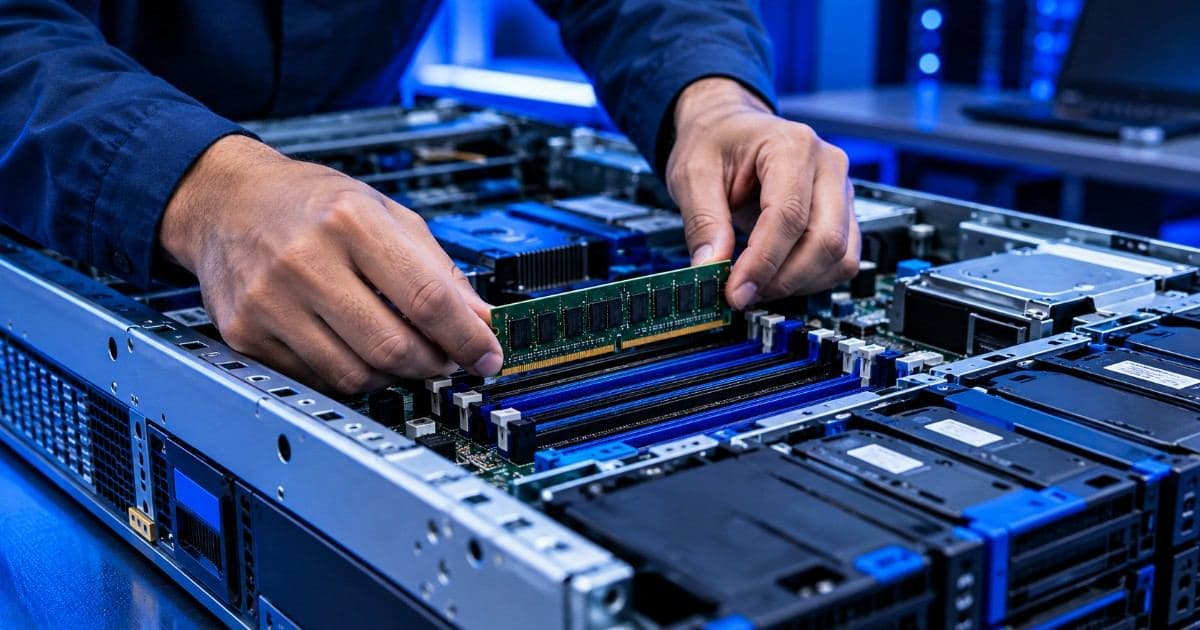
A server's motherboard supports one RAM generation and a maximum speed — DDR3 on an older platform, DDR4 on a more recent one — and mixing generations isn't physically possible, the DIMM slots themselves are keyed differently. Within the supported generation, most server boards have specific population rules (which slots to fill first, whether mismatched module sizes are allowed per channel) documented in the OEM's own memory configuration guide for that model. ECC RAM specifically has to match the type your board expects (unbuffered vs registered/LRDIMM) — a home-PC non-ECC stick will not work in a server board that requires ECC.
Before buying RAM, confirm three things against your exact model: the generation (DDR3/DDR4), the maximum supported capacity per DIMM slot, and whether it needs to be registered/LRDIMM or unbuffered ECC. This is exactly the kind of spec question a support provider can answer quickly if you're not sure.
Storage — Depends on the Drive Interface and the RAID Controller
Adding drives later runs into two separate compatibility questions, not one:
- Physical and interface fit. Server drive bays are a fixed form factor (2.5" or 3.5") and interface (SAS or SATA) — a SAS backplane will generally also accept SATA drives, but not the reverse, and the drive has to physically fit the bay's carrier.
- RAID controller recognition. Older RAID controllers have a maximum per-drive and per-array capacity based on their firmware, and some won't recognise a drive above a certain size even if it fits physically and interface-wise. Controller firmware can sometimes be updated to raise this limit — but not always, and not indefinitely, especially once a controller generation is itself past end-of-support.
If you're adding storage to expand an existing RAID array rather than creating a new one, match the new drive's model and capacity to the existing drives in that array wherever possible — RAID arrays generally perform to the level of their smallest/slowest member drive, and mixing drive generations within one array is asking for an uneven rebuild.
Network Cards and Other PCIe Add-Ons — The Most Flexible Upgrade
Adding a network card (say, moving from 1GbE to 10GbE), an HBA, or a low-profile GPU is usually the easiest upgrade path on a tower or rack server, since it just needs a free, physically-matching PCIe slot and a driver the OS supports — there's no platform-generation lock the way there is with RAM. The two things worth checking first: whether the chassis has a free slot of the right physical size (PCIe cards come in different bracket heights), and whether your power supply has headroom for the extra draw, particularly for a GPU.
CPU — The Least Upgrade-Friendly Component
The processor is generally the hardest thing to usefully upgrade on a server you already own. It's tied to the motherboard's socket and chipset generation, and even within the same socket, the board's BIOS firmware has to explicitly support the newer CPU model's microcode — a board built for an earlier processor generation in that socket family may simply not recognise a later one without a firmware update, if that update exists at all. In practice, most businesses treat a meaningful CPU jump as a reason to move to a newer server rather than a same-chassis upgrade — see our guide on server end-of-life vs end-of-support for how to tell when a platform has reached that point.
A Practical Way to Decide: Upgrade or Replace?
| Situation | Usually worth upgrading | Usually worth replacing instead |
|---|---|---|
| Running low on RAM, platform not yet at end-of-support | Yes — add RAM within what the board supports | — |
| Running low on storage, RAID controller still supports larger drives | Yes — add or replace drives | — |
| Need faster networking or a light GPU for an existing workload | Yes — a PCIe add-on usually fits | — |
| CPU is the actual bottleneck | — | Usually yes — CPU upgrades are rarely practical on an existing board |
| Platform is already past OEM end-of-support | — | Yes — parts get scarcer and firmware updates stop |
Before You Buy Any Upgrade Part
Confirm compatibility against your server's exact model number and current firmware version, not just its general family — two servers with a similar name can have different supported RAM/storage ceilings depending on the specific board revision. If you're not certain, it's worth checking with whoever supports your server before ordering parts; an AMC contract covers this kind of spec question alongside hardware support, regardless of where the server was originally purchased. And if a part turns out to be genuinely unavailable or a fresh post-delivery-tested refurbished server is the more practical route, browse refurbished servers already configured to a range of RAM/storage tiers.
Frequently Asked Questions
Can I add RAM to a refurbished server?
Usually yes, within what the motherboard's generation and maximum capacity support — DDR3 and DDR4 boards each only accept their own RAM generation, and you also need to match the correct ECC type (unbuffered vs registered/LRDIMM) for your specific board.
Can you add storage to a used server?
Generally yes, as long as the new drive matches the bay's physical form factor and interface (SAS or SATA), and the RAID controller's firmware recognises its capacity. Older RAID controllers sometimes cap out below a modern drive's full capacity even if it fits physically.
Can I upgrade the CPU in a refurbished server?
Rarely in a practical sense. The CPU is locked to the motherboard's socket and chipset generation, and the BIOS has to support the newer processor's microcode. Most businesses find it more practical to move to a newer server than to chase a CPU upgrade on an existing board.
Is it easier to add a network card than to upgrade RAM or CPU?
Yes. A network card or other PCIe add-on just needs a free, physically-matching slot and OS driver support, without the platform-generation lock that limits RAM and CPU upgrades. Check your power supply has headroom for the added draw, especially for a GPU.
How do I know if I should upgrade my current server or replace it?
If RAM, storage or networking is the bottleneck and your platform hasn't reached end-of-support, upgrading is usually the cheaper option. If the CPU itself is the bottleneck, or the platform is already past OEM end-of-support, replacing tends to be more practical than trying to extend it further.