
NComputing L300 vs Thin Client vs Mini PC: Cost Per Seat for a Lab or Office in India
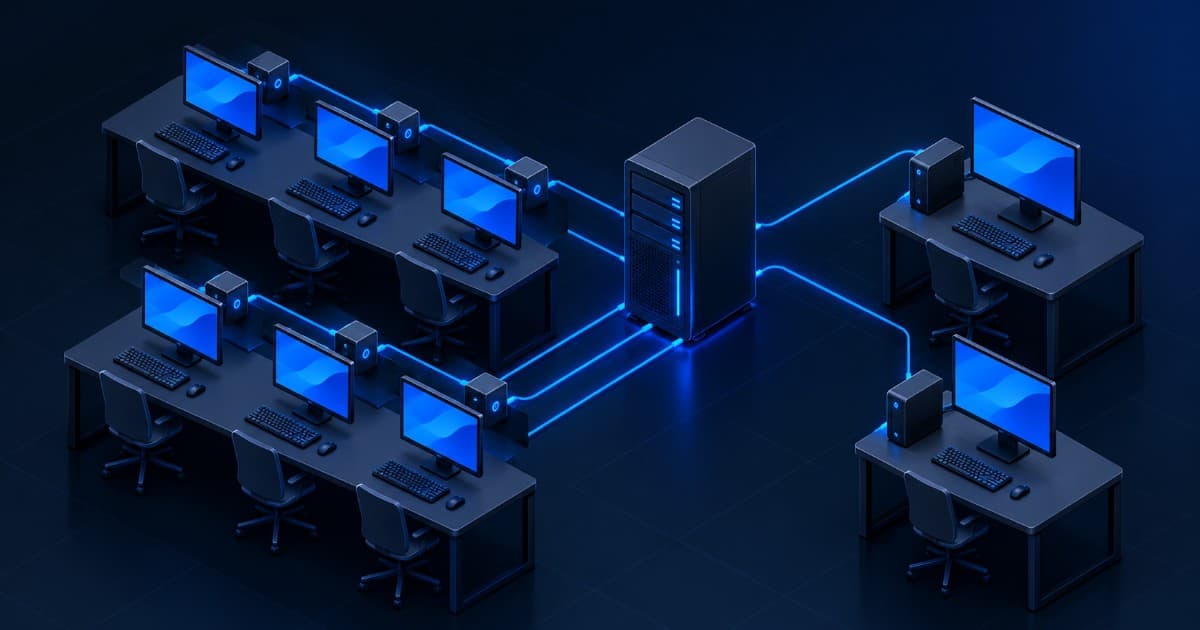
Short answer: an NComputing L300 costs a fraction of a mini PC, but it is not a computer. It is a screen-and-keyboard terminal that shows a desktop running on a shared host server, so the real cost per seat is the device plus its share of the host, the Microsoft licences and the NComputing software licence. Shared computing wins for labs, call centres and accounts teams that run light, browser or office work, with 10 or more seats on one host. A mini PC wins for small seat counts, video-heavy work, or when you do not want one server to be a single point of failure.
Key takeaways
- Our shop lists the NComputing L300 at ₹8,699 and the L250 at ₹6,349 (read on 24 October 2026). Our Tiny and Micro mini PC listings run from ₹28,999 to ₹50,000. That gap is the money you have to spend on the host server and licences before the shared route stops being cheaper.
- NComputing's own licensing page says Windows 7, 8, 10 or 11 may not be shared by several users at once. A multi-user host needs Windows Server plus a Remote Desktop Services client access licence (RDS CAL) for every user or device.
- vSpace Pro, the software on the host, runs free for 7 days with up to 5 sessions. After that, L-series devices need a paid per-device AMP licence to use the Enterprise edition, which is the one that supports Windows 11 and Windows Server 2025.
- The L300 is the previous generation. NComputing says the L400 succeeds the L300 and L350.
- Microsoft's Windows 11 processor list starts at 8th-generation Core for the i3, i5 and i7 desktop families, so a 7th-generation mini PC is not on it.
This guide is for school and college IT heads, call-centre and BPO managers, and office owners in India who are pricing out 10 to 100 desks. It compares three ways to equip them and shows the arithmetic, so you can plug in your own quotes. For the server side of a lab, read our computer lab and ERP server setup guide. For a seat-by-seat BPO budget, see the call centre setup cost guide.
The three models in plain English
A thin client is, in Wikipedia's words, a simple, low-performance computer optimised for remote desktop connections to a server, where the server runs the applications and holds the storage. A zero client is described there as the simplest form of thin client. NComputing's L300 datasheet calls the L300 a thin-client or zero-client device. A mini PC is an ordinary Windows computer in a small case, with its own processor, memory and disk.
| Model | Where the desktop runs | What sits on the desk | What else you must buy |
|---|---|---|---|
| NComputing L-series (L250, L300) | On one shared host PC or server, several users at once | A 115 × 115 × 30 mm box (L300), 154 g, no fan, no local storage, 5 W | Host server, Windows Server, RDS CALs, vSpace Pro licence, monitor, keyboard, mouse |
| Other thin clients (RDP or VDI) | On a server or virtual machine; the device connects to it over a remote desktop protocol such as RDP | A small box that runs a local operating system and connects to the remote desktop | Server or VDI platform, licences, monitor, keyboard, mouse |
| Mini PC (Tiny, Micro, USFF) | On the device itself | A full Windows computer, roughly 1 litre | Monitor, keyboard, mouse. Windows is normally already on the unit |
The second row matters because buyers often treat "thin client" and "NComputing" as the same thing. They are different designs. An NComputing device talks to NComputing's vSpace software through its own protocol, UXP, so one Windows host serves many seats. A generic thin client connects to a remote desktop that is usually one session or one virtual machine per user.
What the L300 actually is
These figures come from the NComputing L300 datasheet (document dated 2019). Check them against current NComputing documentation before you buy.
| Item | L300 datasheet |
|---|---|
| Display output | VGA. Up to 1600 × 1200 in normal modes and 1920 × 1080 in wide modes, at 60 Hz |
| Ports | 2 remote USB 2.0, 1 USB 1.1 for keyboard and mouse, microphone and speaker jacks, 10/100 Ethernet |
| Power | 5 W, 12 V adapter included |
| Build | Solid state, no fans, no moving parts, no local storage, rated above 100,000 hours MTBF |
| Users per operating system | vSpace permits up to 100 users per shared OS. That is a software ceiling, not a sizing recommendation |
| Video | Host-optimised video up to 1920 × 1080, decoded and scaled on the device |
| In the kit | Access device, power supply, software licence, mounting bracket. No PC, monitor, keyboard or mouse |
Two practical points. The L300 has a VGA output only, so check that your monitors have a VGA input, or budget for adapters. And the L300 is not the current model. NComputing's L400 page says the L400 succeeds the L300 and L350, with HDMI output up to 2560 × 1440 and a USB-C power input. A refurbished L300 is a fair choice for a budget lab. A buyer who wants current hardware and the longest software support should ask about the L400.
Our shop lists the NComputing L300 and the NComputing L250 as tested units with a 1-year warranty. Both listings say clearly that these are access devices, not standalone PCs.
The licensing part most price lists skip
The hardware is cheap. The licences are where a shared-desktop quote goes wrong, because they depend on which operating system the host runs.
- You cannot share a Windows desktop edition. NComputing's Microsoft licensing page answers the question "can several users share one Windows 7, 8, 10 or 11 PC?" with "No, that is not permitted," and says only Windows Server is licensed by Microsoft for multiple simultaneous users.
- Windows Server needs an RDS CAL for each user or device. Microsoft's documentation says every user and device that connects to a Remote Desktop Services session host needs an RDS CAL, issued from a licensing server. A per-device CAL suits shifts that share desks. A per-user CAL suits staff who each have their own device. Microsoft allows a 120-day grace period without a licensing server. The RDS CAL version must be equal to or newer than the Windows Server version.
- vSpace Pro has its own licence. NComputing's usage policy lets you download vSpace Pro Enterprise and run it free for 7 days, with up to 5 concurrent sessions on L-series devices. After that, the devices need an AMP licence (SKU NC-AMP-1A, per device) to keep working with Enterprise.
- Enterprise versus LTS. The LTS edition covers older platforms, up to Windows 10 and Windows Server 2016. Only Enterprise supports Windows 11 and Windows Server 2025. vSpace Pro 12.9.2, released on 21 February 2025, lists Windows Server 2016, 2019, 2022 and 2025 and 64-bit Windows 10 and 11 as hosts, and the L250, L300 and L350 at firmware 1.15.8 or newer.
- Older L300 units need extra care. According to the usage policy, L250 and L300 units made before 1 January 2015 need an Aged Device Connection licence (works with LTS only) or AMP compliance. Ask any seller for the manufacture date and firmware version before you buy used L-series devices.
Support dates matter here. Microsoft ended support for Windows 10 Home and Pro on 14 October 2025. Windows Server 2016 reaches the end of extended support in January 2027, which we cover in our Windows Server 2016 end-of-support guide. So the LTS route, which tops out at those versions, is a short-term choice. A new shared-desktop build today means Windows Server 2022 or 2025, the Enterprise edition and AMP licences.
We do not print RDS CAL or AMP prices here, because we have not confirmed current figures. Get both from your Microsoft reseller and from NComputing, and add them to the worksheet below.
Cost per seat: the arithmetic
Monitors, keyboards and mice are needed on every route, so leave them out of the comparison. What differs per seat:
| Cost item | NComputing route | Mini PC route |
|---|---|---|
| Device | L300: ₹8,699 (shop listing) | Tiny or Micro desktop: ₹28,999 to ₹50,000 (shop listings) |
| Host server, once for all seats | Required. Divide by seats | None |
| Windows Server and RDS CAL | Required, per user or device | None. Windows is on the unit |
| vSpace Pro AMP licence | Required after the 7-day trial, per device | None |
| Power at the desk | 5 W per device (datasheet) | Depends on the model. The M710Q Tiny uses 35 W TDP processors, which is a rating ceiling, not average draw |
| Admin time | Patch one host | Patch every PC |
The shared route is cheaper only if the fixed and per-seat extras fit inside the gap between the two device prices. Here is that gap, using our listed prices and 20 seats:
| Mini PC price you compare against | Gap per seat (mini PC minus L300 at ₹8,699) | Budget for host, CALs and AMP across 20 seats |
|---|---|---|
| ₹28,999 (lowest Tiny listing) | ₹20,300 | ₹4,06,000 |
| ₹35,000 (Lenovo M710Q and similar) | ₹26,301 | ₹5,26,020 |
| ₹50,000 (Dell OptiPlex 3070 Micro and similar) | ₹41,301 | ₹8,26,020 |
To test your own numbers, use this rule. If F is the cost of the host server, switch and backup power, N is the seat count, and C and A are the RDS CAL and AMP licence per seat, the shared route is cheaper when F ÷ N + C + A is less than the gap per seat. Solving for seats, you need N greater than F ÷ (gap − C − A). The fewer the seats, the more F weighs on each one, which is why shared computing rarely pays off below about 8 to 10 desks. That threshold is our rule of thumb from this arithmetic, not a vendor figure.
The mini PC prices above are the shop's current listings. Refurbished stock changes, so ask for a live quote on the exact model before you decide. See the Lenovo ThinkCentre M710Q Tiny and the Dell OptiPlex 3070 Micro listings for specifications.
Sizing the host server for N seats
Neither Microsoft nor NComputing publishes a users-per-core figure, and anyone who quotes one without knowing your applications is guessing. Build the host from sums you can check:
- Memory. Peak concurrent users × memory per session + memory for the operating system. As an example input, 20 users × 2 GB + 8 GB = 48 GB, so a 64 GB build leaves room to grow. Replace the 2 GB with what a session actually uses: open the browser, the accounting package or the lab software, and read the figure from Task Manager.
- Processor. Count how many users work at the same time, not how many have accounts. A lab where all 30 students open a browser together peaks higher than an accounts team with staggered work. Run a pilot with 5 real users and watch CPU at peak before you size the final host.
- Storage. Solid-state drives for the operating system and profiles. The devices keep no local data (per datasheet), so the host's disks hold everyone's files, and need RAID and a tested backup. Our RAID controller guide covers the options.
- Network. L300 devices link at 10/100 Mbps, so give the host a gigabit port and use a gigabit switch between them.
- Growth. Add 20% seats to the plan. Adding a seat later costs a device, a CAL and an AMP licence, with no new server until the host is full.
For more on memory and storage planning, see our RAM and storage sizing guide and the guide to how much server power your business needs. A tower suits a classroom or small office with no rack, and our rack versus tower comparison helps you choose. You can browse tower servers and refurbished servers for host options. If you prefer a new-build host, ProStation Systems builds custom tower servers on Intel Xeon with ECC memory.
Performance: what works and what breaks
Every seat shares the host's processor and memory. When one user starts a heavy job, the others feel it. That is the main limit of shared computing, and no device spec changes it.
- Office work, browser tabs, ERP, billing and typing tutors: well suited, provided the host has the memory.
- Video: the L300 datasheet claims hardware-assisted playback up to 1920 × 1080 for common formats. Test your exact content on a pilot seat, since 30 users streaming at once also load the host and the network.
- Video calls: the L400 page lists USB webcam support for Teams, Zoom and WebEx. The L300 datasheet lists no webcam support, so treat a seat that needs a camera as a mini PC seat unless you have tested it.
- CAD, video editing and 3D work: not a fit for shared computing on a CPU host. Wikipedia lists graphics-intensive use as a known challenge for thin clients. Look at a cloud workstation or a dedicated workstation for those users.
- USB devices: the datasheet says the two USB 2.0 ports redirect mass storage, keyboards and mice, and printers to the host. Anything beyond that, such as signature pads or fingerprint readers, needs a test first.
Management, security and uptime
The L300 has no local operating system to patch and no local storage, so a stolen device holds no data. NComputing says vSpace pushes firmware updates automatically, and you can define a failover list of hosts. Windows updates, antivirus and application installs happen once on the host instead of on every PC. That is the strongest argument for the shared route, and it is the reason schools and call centres use it.
The cost is a single point of failure. If the host is down, every seat is down. Wikipedia lists server dependency as the main disadvantage of thin clients. Plan for it with RAID, a UPS (our UPS sizing guide shows how), a spare host or a backup host in the failover list, and a support contract. Our server AMC plans cover refurbished servers regardless of where you bought them.
A mini PC fleet has the opposite profile: one failed PC stops one seat, but you patch, secure and replace each PC separately. Windows 11 raises one more point. It needs a compatible 64-bit processor with two or more cores at 1 GHz, 4 GB of memory, 64 GB of storage, UEFI with Secure Boot and TPM 2.0. Microsoft's supported-processor list starts at 8th-generation Core for the i3, i5, i7 and i9 families. Our M710Q listing uses a 7th-generation processor, so it falls outside that list, while the OptiPlex 3070 Micro uses a 9th-generation one. If you plan to run Windows 11 on mini PCs, check the processor generation on the listing.
Which one fits which room
| Situation | Our pick | Why |
|---|---|---|
| Computer lab with 20 to 60 seats, shared software, one admin | NComputing on a Windows Server host | One system to patch, 5 W per seat, no data on the desk. Needs a properly sized host and backup |
| Call centre or BPO with a browser-based CRM and dialer | Shared computing, if the dialer's softphone is tested on it; otherwise mini PCs | Voice and headset support must be proven on a pilot seat first |
| Accounts team of 5 to 8 on one accounting package | Mini PCs, or a single server for the accounting data only | Too few seats to spread the host cost |
| Reception, point of sale and kiosks | Mini PCs | Standalone, VESA-mounted behind the monitor, no dependency on a server |
| Design, editing and CAD desks | Neither | Use workstations or a cloud workstation |
Frequently asked questions
How many users can one NComputing device support?
One. Each L300 is a single seat with its own monitor, keyboard and mouse. The 100 in NComputing's literature is the number of users the vSpace software lets one host operating system serve, which is a software limit. How many seats your host can carry depends on its processor and memory and on your applications, so size it with a pilot of 5 real users and the memory arithmetic above.
Is NComputing still worth it?
For a lab or office of 10 or more light users, it can be, if you price the whole stack. NComputing still releases vSpace Pro, version 12.9.2 appeared in February 2025, and it lists the L300 as supported. The L300 hardware is the previous generation, and the L400 is its successor. The savings come from low device prices and central management, and they shrink once you add the host, Windows Server, RDS CALs and AMP licences. Run the worksheet above with real quotes before you decide.
Thin client or mini PC for an office?
For fewer than about 10 desks, a mini PC is usually simpler: no host server, no CALs, and one failure affects one seat. A thin client or NComputing setup starts to make sense when you have many identical seats, one person to administer them and a host you can protect with RAID, UPS and a backup. Offices that run video calls all day, local software with dongles, or heavy spreadsheets are better served by mini PCs.
What server do I need for 20 thin clients?
There is no single answer, because it depends on what the 20 users run. Start from memory: 20 users × the memory one session actually uses, plus 8 GB or so for the operating system, rounded up with room to grow. Count peak concurrent users to size the processor, put the operating system and profiles on SSDs in RAID, and use a gigabit network. A tower server with ECC memory is a common host for a small lab or office. Tell us your applications and we will suggest a tested configuration.
Does NComputing work with Windows 11?
vSpace Pro Enterprise 12.9.2 lists Windows 11 (64-bit) as a supported host, and NComputing says only the Enterprise edition supports Windows 11. However, NComputing's own licensing page says Microsoft does not permit several simultaneous users on Windows 10 or 11. For a multi-user lab, use Windows Server 2022 or 2025 with RDS CALs. L250, L300 and L400 deployments on Windows 11 or Server 2025 also need to be AMP compliant.
What does an NComputing L300 cost at Serverwale?
On 24 October 2026 our shop lists the NComputing L300 at ₹8,699 and the L250 at ₹6,349 per device, tested, with a 1-year warranty. The price covers the device only. A host server, Windows Server and RDS CALs, the vSpace Pro licence, monitors, keyboards and mice are separate. Call us to confirm host compatibility and current stock before you order.
Planning a lab or office with 10 or more seats?
Tell us your seat count, the software your users run and your budget. We will price the host, the licences you need to ask your reseller for, and the devices, and tell you honestly if mini PCs would cost less. Call or WhatsApp +91-87962-44410, or contact us. You can also read our warranty and returns policy and how we test refurbished equipment.
Sources: NComputing, L300 datasheet and the NITK lab equipment listing (specifications), L400 product page (successor statement), Microsoft licensing page, vSpace Pro usage and licensing policy and vSpace Pro Enterprise release notes; Microsoft Learn, RDS client access licences, Windows 11 requirements, Windows 11 supported Intel processors, Windows 10 lifecycle and Windows Server 2016 lifecycle; Wikipedia, Thin client. Device prices are the Serverwale shop listings read on 24 October 2026 and are not a quote. RDS CAL and AMP licence prices are not stated; get current figures from your Microsoft reseller and NComputing. Last verified 24 October 2026.