
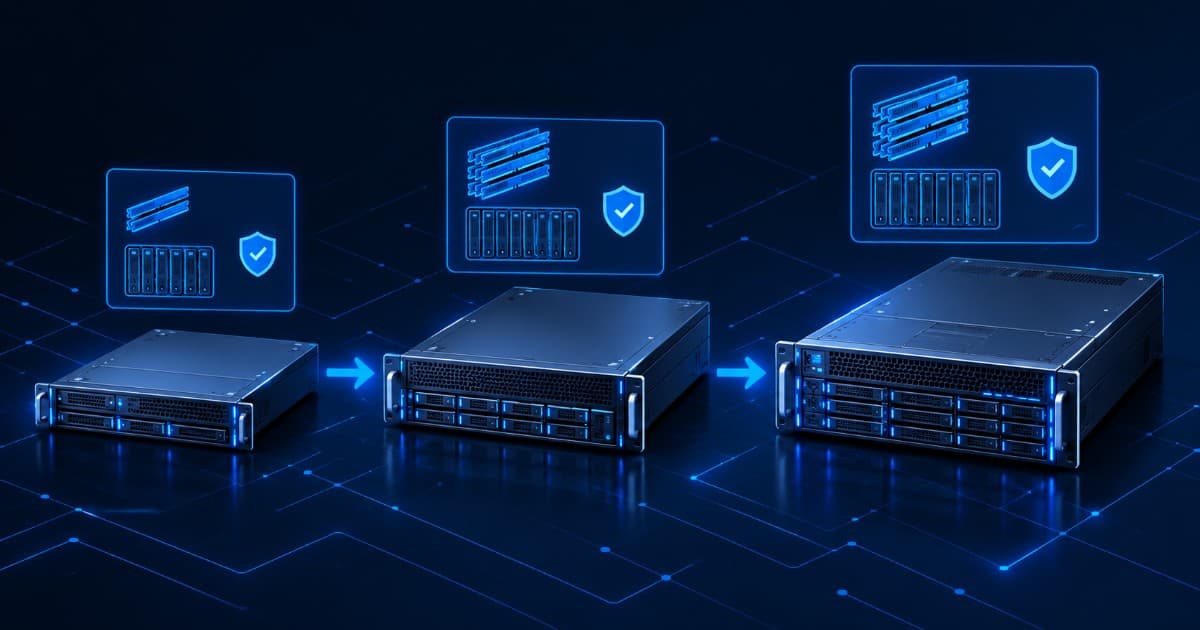
Refurbished HPE ProLiant DL380: Gen9 vs Gen10 vs Gen10 Plus - Which One to Buy?
Short answer: choose the DL380 Gen10 for most business workloads, the DL380 Gen9 if budget is the main limit and the job is modest, and the DL380 Gen10 Plus if you need the most memory slots, faster memory and PCIe 4.0. The generations are not interchangeable. Gen9 takes Intel Xeon E5-2600 v3 or v4 processors, Gen10 takes 1st and 2nd Generation Xeon Scalable, and Gen10 Plus takes 3rd Generation Xeon Scalable only. Match the generation to the workload before you compare prices.
Key takeaways
- HPE's QuickSpecs lists 24 memory slots on Gen9 and Gen10, and 32 on Gen10 Plus.
- Memory speed rises with each generation: up to 2400 MT/s (Gen9, depending on the processor), up to 2933 MT/s (Gen10, 2nd Generation processors) and up to 3200 MT/s (Gen10 Plus, depending on the processor).
- Gen9 uses iLO 4. Gen10 and Gen10 Plus use iLO 5.
- The Gen10 Plus does not accept Gen10 processors. HPE says 1st and 2nd Generation processors are not supported on it.
- HPE's original Gen9 QuickSpecs is marked retired and says the base products are obsolete and no longer sold new. Check support and firmware for the exact unit you are buying.
This guide is for IT managers, sysadmins and buyers in India who are choosing between refurbished DL380 generations. It uses HPE's own QuickSpecs and configuration documents and Intel's processor pages, and it says where something comes from our own product listings or is our own opinion. We sell refurbished servers in India, so we also say where the cheaper generation is the wrong buy.
Which DL380 should I buy: Gen9, Gen10 or Gen10 Plus?
The table below is our opinion, based on the specifications that follow it. Treat it as a starting point and size the server for your own workload.
| Your situation | Better fit | Why |
|---|---|---|
| Small office, file or print server, backup target, lab | Gen9 | Lowest entry cost, and the workload does not need newer memory speed or processors |
| Virtualization host for a growing business, ERP, database | Gen10 | Up to 3.0 TB of memory, 2nd Generation Xeon Scalable, iLO 5 and HPE's Gen10 security features |
| Dense virtual machines, memory-heavy databases, fast network or NVMe cards | Gen10 Plus | 32 memory slots, DDR4 up to 3200 MT/s, PCIe 4.0 and 64 lanes per processor |
| You want to reuse older processors or memory | Same generation only | The three platforms do not share processors, and memory choices differ |
DL380 Gen9 vs Gen10 vs Gen10 Plus: what do the specifications say?
Figures below come from HPE's QuickSpecs and configuration documents unless marked. Memory speed and maximum capacity depend on the processor you choose, so confirm both for the exact unit.
| Specification | DL380 Gen9 | DL380 Gen10 | DL380 Gen10 Plus |
|---|---|---|---|
| Processors | Intel Xeon E5-2600 v3 and v4 (not mixed) | 1st and 2nd Generation Intel Xeon Scalable | 3rd Generation Intel Xeon Scalable only |
| Top core count listed | HPE lists E5-2600 v4 models up to the E5-2699 v4 | 28 cores (for example Platinum 8280) | 40 cores (Platinum 8380) |
| Memory slots | 24 (4 channels per processor, 3 slots per channel) | 24 (6 channels per processor, 2 slots per channel) | 32 (8 channels per processor, 2 slots per channel) |
| Memory speed (DDR4) | 2133 or 2400 MT/s, depending on processor and DIMM; lower with 3 DIMMs per channel | Up to 2933 MT/s on 2nd Generation and up to 2666 MT/s on listed 1st Generation models, depending on the processor | Up to 3200 MT/s, limited by the processor |
| Maximum memory (HPE) | 1,536 GB with 64 GB LRDIMMs on v3 processors; v4 configurations list 128 GB LRDIMMs | 3.0 TB with 24 x 128 GB LRDIMM; 1.54 TB with 24 x 64 GB RDIMM | 8.0 TB with 32 x 256 GB LRDIMM; 2.0 TB with 32 x 64 GB RDIMM |
| PCI Express | PCIe 3.0, 40 lanes per processor (Intel, E5-2600 v3/v4) | PCIe 3.0, 48 lanes per processor | PCIe 4.0, 64 lanes per processor |
| Remote management | HPE iLO 4 | HPE iLO 5 | HPE iLO 5 |
Two points are easy to miss. First, HPE's Gen9 memory document notes that populating three DIMMs per channel lowers memory speed, so a fully loaded Gen9 does not run at its headline speed. Second, the 128 GB LRDIMM figure for Gen9 applies to E5-2600 v4 configurations. The 24 x 128 GB total of 3 TB is our arithmetic from HPE's slot count and module list, and our DL380 Gen9 listing quotes the same figure.
Who is the DL380 Gen9 still right for, and what are its limits?
The DL380 Gen9 is a 2U, dual-socket server on Intel's E5-2600 v3 and v4 processors, with 24 DIMM slots. Intel's pages for the E5-2680 v3 and v4 list DDR4 memory with 4 channels and PCI Express 3.0, and ECC memory support. It suits workloads that are not limited by memory speed or per-core performance: a modest virtualization host, file and print, a backup server, test and development.
Its limits are the platform's age. Memory tops out at 2400 MT/s on suitable processors, and HPE's own Gen9 QuickSpecs carries a notice that the document is retired and the base products are obsolete and no longer available for sale. That is not the same as end of support, so check the status of the exact unit with HPE using its serial number. Our guides to checking server warranty by serial number and to server end of life and end of support explain how.
Why is the DL380 Gen10 the usual sweet spot?
Gen10 moves to Intel Xeon Scalable processors, which HPE lists with 6 memory channels per processor and 48 PCIe 3.0 lanes. The 2nd Generation processors run memory at up to 2933 MT/s. HPE lists a maximum of 3.0 TB using 24 x 128 GB LRDIMMs. It also moves to iLO 5, and HPE's QuickSpecs lists UEFI Secure Boot, Secure Start and an immutable Silicon Root of Trust among its security features.
For storage, HPE lists up to 24 SFF bays with an optional rear drive cage for 30 SFF drives in total, or 12 LFF bays that can be extended with a mid-plane cage, plus NVMe drive options. Check which bay type and cages are fitted, because bays are the hardest thing to change later. Processor choice matters here: HPE lists some models with higher per-socket memory limits, and mixing two different processor models is not supported.
If you are also weighing Intel's naming, our guide to Xeon Bronze, Silver, Gold and Platinum explains what the tier and suffix mean.
When does the DL380 Gen10 Plus make sense?
The Gen10 Plus is a different platform from the base Gen10, not a small refresh. HPE's QuickSpecs lists 3rd Generation Intel Xeon Scalable processors only and states that 1st and 2nd Generation processors are not supported. It has 32 DIMM slots (16 per processor, 8 channels per processor), DDR4 up to 3200 MT/s limited by the processor, 64 PCIe 4.0 lanes per processor, iLO 5, and NVMe drive cages in U.2 and U.3 formats.
It makes sense when memory capacity, memory bandwidth or PCIe lanes are your limit: large virtual machine counts, memory-heavy databases, fast network adapters and NVMe-heavy storage. The practical rule is simple. Do not buy parts for one platform and expect them to fit the other, because processors and memory are not shared between Gen10 and Gen10 Plus.
Which drives and controllers does each DL380 take?
Bay layout depends on how the server was configured, so confirm it before you pay.
- Gen9: our listing describes 8 SFF, 16 SFF, 24 SFF and 12 LFF chassis options with an embedded Smart Array B140i and optional Smart HBA. This is from our product page, not from HPE's documents.
- Gen10: HPE lists 24 SFF (30 with a rear cage), 8 LFF and 12 LFF chassis, with options for NVMe bays.
- Gen10 Plus: HPE lists a choice of 8 SFF cages including U.2 NVMe, U.3 trimode and SAS/SATA, with up to 24+2 SFF drives in its maximum internal capacity table.
HPE also notes that Broadcom MegaRAID controllers are not supported with Windows Server 2012 R2 on Gen10 servers. If you plan to run an older operating system, check controller and operating system support first. Microsoft ends support for Windows Server 2016 on 12 January 2027, which affects many existing installs; see our Windows Server 2016 end of support guide.
How much do refurbished DL380 servers cost?
We do not publish a fixed price, because it depends on the exact configuration and changes with stock. Our DL380 listings show price on request, and our HP servers price list and the guide to buying certified refurbished HP ProLiant servers explain how to read a quote. What moves the price between two DL380s:
- The generation and the processor model (core count and clock speed)
- The amount, type and speed of memory (RDIMM or LRDIMM)
- The drives: type, capacity and quantity, and the bay layout
- The RAID controller and network adapters fitted
- Power supplies and rails, and the iLO licence on the unit
- The condition, testing and warranty terms
Ask every seller for an itemised quote on the same specification so you can compare like with like. For import and tax questions, our GST and import duty guide covers the basics.
What should I check before buying a refurbished DL380?
- Generation and processor. Confirm whether it is Gen9, Gen10 or Gen10 Plus, and which processor generation is fitted. Gen10 Plus takes 3rd Generation processors only.
- Memory type. HPE says RDIMMs and LRDIMMs cannot be mixed. Ask which is fitted and how many slots are free for upgrades.
- Drive bays and controller. Confirm SFF or LFF, how many bays are populated and which controller is installed.
- iLO version and licence. Gen9 has iLO 4 and Gen10 and Gen10 Plus have iLO 5. Ask for the licence level of that exact unit. Our iDRAC vs iLO vs IPMI guide explains why this matters.
- Firmware and support status. Check the serial number against HPE's records, as described in our warranty check guide.
- Testing and warranty. Ask what was tested and what the written warranty covers. Serverwale tests refurbished servers with a 72-point check and provides a 1-year warranty, as stated on our product pages. Read what to ask a refurbished seller for more.
- Support after the warranty. See our server AMC options if you want the server covered for longer.
Where can I see DL380 stock?
Our product pages list the DL380 Gen9, DL380 Gen10 and DL380 Gen10 Plus, each as a certified refurbished server with a 1-year warranty. If you are also comparing brands, read our Dell vs HP servers comparison, or see the PowerEdge R740 vs R640 guide. If you want new hardware built to order instead of refurbished, our sister brand ProStation Systems builds custom tower servers.
Frequently asked questions
What is the difference between DL380 Gen9 and Gen10?
Generation and platform. Per HPE, the DL380 Gen9 uses Intel Xeon E5-2600 v3 or v4 processors, with 24 memory slots, DDR4 up to 2400 MT/s and iLO 4. The DL380 Gen10 uses 1st and 2nd Generation Intel Xeon Scalable processors, with 24 slots, DDR4 up to 2933 MT/s on 2nd Generation parts, 48 PCIe 3.0 lanes per processor and iLO 5. HPE also lists security features on Gen10 such as Secure Start and an immutable Silicon Root of Trust.
Is DL380 Gen9 still worth buying in 2026?
It can be, for the right job. It suits a budget virtualization host, a file or print server, a backup target or a lab where you do not need the newest memory speed or processor features. It is a poor choice if you need the newest per-core performance, or if you want the longest possible supported life. HPE's original Gen9 QuickSpecs is marked retired, meaning the base products are obsolete and no longer sold new, so check support and firmware status for the exact unit before you buy.
Which DL380 is best for virtualization?
Gen10 is the usual middle choice. It gives 24 memory slots, up to 3.0 TB with 128 GB LRDIMMs per HPE, and 28-core 2nd Generation Xeon Scalable processors. Gen10 Plus gives more headroom, with 32 memory slots, DDR4 up to 3200 MT/s depending on the processor, and up to 40 cores per processor. Gen9 works for smaller virtual machine counts. Size the host by total memory and cores for your virtual machines, not by generation alone.
How much RAM can a DL380 Gen10 take?
HPE lists up to 3.0 TB with 24 x 128 GB LRDIMMs at 2933 MT/s, or 1.54 TB with 24 x 64 GB RDIMMs. Some processors have their own per-socket memory limits, for example the M and L suffix models, so the processor you choose matters. RDIMMs and LRDIMMs cannot be mixed.
What is a DL380 Gen10 Plus?
It is a different platform from the base Gen10, not a minor update. HPE's QuickSpecs lists 3rd Generation Intel Xeon Scalable processors only, and says 1st and 2nd Generation processors are not supported. It has 32 DIMM slots, DDR4 up to 3200 MT/s depending on the processor, PCIe 4.0 and iLO 5. Processors and memory from a base Gen10 will not move across.
Can I put a Gen10 processor in a Gen10 Plus?
No. HPE states that 1st Generation and 2nd Generation processors are not supported on the DL380 Gen10 Plus, and that it takes 3rd Generation Intel Xeon Scalable processors. Do not buy spare processors for one platform and expect them to fit the other.
Ask for a DL380 quote
Tell us the workload, the number of users or virtual machines, and the memory and storage you need. We will suggest a generation and send an itemised quote for a tested DL380 with a 1-year warranty. Call or WhatsApp +91-87962-44410, or contact us.
Sources: HPE, DL380 Gen10 QuickSpecs (processors, 24 DIMM slots, 3.0 TB LRDIMM at 2933 MT/s, 48 lanes PCIe 3.0, iLO 5, bays, security features); DL380 Gen10 Plus QuickSpecs (3rd Generation processors only, 32 DIMM slots, 8.0 TB LRDIMM at 3200 MT/s, 64 lanes PCIe 4.0, iLO 5, NVMe cages); DL380 Gen9 Configuring Memory (24 slots, DDR4 speeds by processor and DIMM); DL380 Gen9 QuickSpecs (retirement notice); iLO 4 User Guide (iLO 4 for Gen8 and Gen9 servers). Intel, Xeon E5-2680 v4 and E5-2680 v3 specifications. Serverwale product pages for the iLO generation, bay options and warranty terms. The recommendation table is our own opinion. Memory speed and maximum capacity vary with the processor and DIMM, so confirm them for the exact unit. No prices are quoted. Last verified 28 October 2026.