
Server Per Store or Centralized? Retail Chain Server Setup in India
Quick answer: choose a centralized setup when every store has a dependable internet link and your billing and inventory software is built to run from head office or the cloud. Choose a server per store when a store must keep billing, looking up stock and running its local systems even when the internet link is down. Most multi-branch retail chains end up with a hybrid: a small, standardised server in each store for continuity, and one central system that remains the source of truth for prices, stock and reporting. Your POS software decides which of these are actually supported, so confirm that first.
This guide is for owners and IT managers of retail chains, franchise networks and multi-location shops in India who are deciding how to roll out servers across stores. It covers the three models, the questions that decide between them, a cost illustration using Serverwale's published prices, and how to manage many sites without an IT person in each one.
The three ways to set up servers across a retail chain
| Model | How it works | Strength | What goes wrong |
|---|---|---|---|
| Server per store (distributed) | Each store runs its own local server; data is sent to head office on a schedule or in the background | The store keeps trading when the internet link is down | Many machines to patch, back up and repair; stores can drift to different versions or prices |
| Centralized | One server, data centre or cloud environment at head office; stores connect to it over the network | One place to manage, secure, back up and report from | If a store's link is slow or down, that store cannot bill normally |
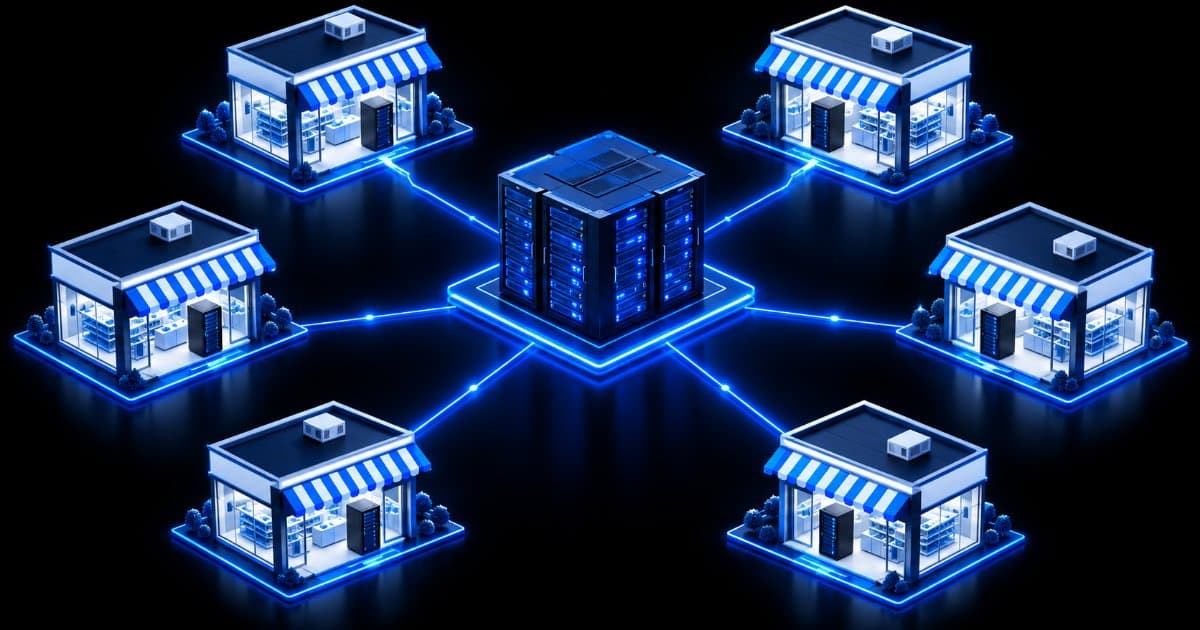
| Hybrid | A small server in every store handles local continuity and local devices; a central system holds master data and consolidated reports | Local resilience plus central control | Needs software that supports it, and a clear rule for what syncs and when |
None of these is "best" in general. The right one depends on your software, your store network and the cost of a store being unable to bill for an hour. The sections below show how to work that out.
Start with your POS software: it decides what is possible
Before comparing hardware, find out which setups your point-of-sale and ERP vendor supports, because many products only support specific topologies. Microsoft's Dynamics 365 Commerce documentation is a useful, public example of how a retail platform describes this. It says a register in the Store Commerce app can go into offline mode when its connection to the Commerce Scale Unit is lost, switching to a local offline database, and that transactions created offline are uploaded later. It also documents a self-hosted Commerce Scale Unit that serves one or more stores and includes an Async Client Service that synchronises master data from headquarters to the store and transactions from the store to headquarters.
The point is not that you need that product. It is that retail software typically defines in its own documentation whether a store can run offline, whether a store-level server is supported, and how data syncs with head office. Whatever you use (Tally-based billing, a retail ERP, a franchise management tool or a custom application), ask the vendor three things in writing:
- Can a store keep billing if its internet link or the head-office system is down, and for how long?
- Is a store-level server a supported or recommended deployment, and what are its minimum hardware requirements?
- How and when does store data sync to head office, and what happens to conflicts such as a price changed centrally while a store was offline?
Treat the vendor's answers and published system requirements as the floor for your hardware choice.
Five questions that decide between per-store and centralized
1. How reliable is the internet at each store?
This is the biggest factor. A chain of mall outlets with business-grade fibre can lean centralized; a chain with stores in smaller towns on shared or mobile links usually needs local continuity. Check the link at each store, not only at head office, and decide what happens when it fails.
2. What must keep working when the link is down?
List it: billing, barcode scanning, stock lookup, payment terminals, receipt printing, loyalty or GST invoicing. Anything on that list needs either offline support in the software or a local server.
3. Which local systems share the store?
Stores often run more than billing: a CCTV recorder, a file share for the store manager, label printers, an Active Directory or shared login. A local server can host or back up some of these. See our guides to CCTV and NVR storage sizing and an Active Directory and file server setup on a budget.
4. How many stores, and who looks after them?
Ten stores with a part-time IT person is a different problem from fifty stores with none. The more stores you have and the less on-site help, the more you gain from one standard server model, remote monitoring and a maintenance contract, and the more a purely centralized design appeals because there is less hardware to look after.
5. What does one store being offline for an hour cost you?
Estimate lost sales, queueing and customer goodwill for your busiest hour. If that number is large, paying for local continuity is easy to justify. If stores are quiet and a manual fallback is acceptable, central-only may be enough. Our server rental vs ownership financial analysis shows the same cash-flow thinking for the hardware itself.
What a store server actually needs to be
A store server does not need to be powerful. It needs to be reliable, quiet, easy to replace and the same everywhere. Tower servers suit this well: they need no rack and run quietly, so they can sit in a back room or under a counter. Serverwale's tower servers range from entry models (Dell PowerEdge T150 or HP ProLiant ML30, with a single Xeon E-series processor, 16–64 GB ECC DDR4 and four large-form-factor drive bays) to dual-socket models for heavier loads. For a typical store, the entry or single-socket tier is the natural starting point, but the right size comes from your software's requirements and your store count, not from this article.
Three design habits matter more than the model number:
- Standardise. Use one hardware model and one software image across stores so a failed unit can be swapped without engineering work.
- Mirror the drives and back up off the box. Use RAID for the store's data and send backups to head office or another location. See our on-premise backup server guide and the backup and disaster recovery guide.
- Protect the power. Stores have unstable power more often than offices. Plan a UPS for the server and the network switch; our server power guide helps size it.
Cost illustration: a server in every store
The table below multiplies Serverwale's published starting prices by store count to show the scale of a per-store rollout. It is an illustration, not a quote: it uses the "from" prices on our refurbished server price index (indicative, as of June 2026) and our server AMC page, and excludes GST, extra RAM or drives, operating-system and POS licences, UPS, networking and any volume pricing.
| Stores | Refurbished tower hardware (₹18,000 – ₹45,000 each) | Basic remote AMC (from ₹6,000 per server per year) | Standard on-site AMC (from ₹12,000 per server per year) |
|---|---|---|---|
| 10 | ₹1,80,000 – ₹4,50,000 | ₹60,000 per year | ₹1,20,000 per year |
| 25 | ₹4,50,000 – ₹11,25,000 | ₹1,50,000 per year | ₹3,00,000 per year |
| 50 | ₹9,00,000 – ₹22,50,000 | ₹3,00,000 per year | ₹6,00,000 per year |
For comparison, our price index lists a new tower server at roughly ₹1,20,000, so ten new store servers would be about ₹12,00,000 on that indicative figure. A centralized design replaces many small servers with one larger one: the index lists 2U dual-Xeon Gold servers with 128–512 GB ECC from about ₹65,000 to ₹2,20,000, and you would normally want a second system or a tested backup plan for head office. What a centralized design costs you instead is network quality: reliable links to every store, which we cannot price for you. Our refurbished vs new total cost of ownership comparison explains how to weigh purchase price against running cost.
Managing many stores without IT staff in each one
The real cost of a per-store design is not the hardware; it is looking after dozens of small sites. A maintenance contract turns that into a predictable line item. Serverwale's AMC page lists three plans: Basic remote support from ₹6,000 per server per year (8-hour response, quarterly health checks), Standard on-site plus remote from ₹12,000 (four on-site visits a year, 4-hour response) and Premium from ₹25,000 (unlimited on-site visits, 2-hour response). The page states that AMC covers Dell, HP, IBM, Supermicro and Cisco servers whether or not they were bought from Serverwale, and that on-site cover is available in Delhi NCR, Mumbai, Bangalore, Chennai, Hyderabad, Pune and about 50 other cities, with remote support across India.
If your stores are in smaller towns, confirm on-site coverage for each store's city before you rely on an on-site SLA. Prices on that page are indicative and depend on server count, brand, SLA and location, so ask for a quote for your actual store list. It also helps to keep one or two spare units at head office so a failed store server can be replaced by courier while the original is repaired.
New, refurbished or rented: which fits a store rollout
- Refurbished towers. Serverwale's tower page lists 40-point tested units with a 3-year warranty and a GST invoice, delivered within about 48 hours in Delhi NCR and 3–7 days across India. For a standardised fleet, ask whether enough identical units are in stock before you commit to a model. Read our refurbished server buying checklist and the post-delivery testing checklist so each unit is checked on arrival.
- Brand-new custom builds. If you want new hardware specified for your software, our in-house brand ProStation Systems builds brand-new custom tower servers, ships in about four working days and includes a 1-year warranty with extended warranty available.
- Rental for a pilot or a season. The tower page lists short- or long-term tower rental for projects and seasonal needs. Renting for a two- or three-store pilot lets you test your software and your sizing before buying for the whole chain. See server rental in Delhi, Mumbai, Chennai and Hyderabad.
A rollout checklist for a multi-branch retail chain
- Ask your POS and ERP vendor which topologies and offline modes are supported, and get their hardware requirements in writing.
- Test the internet link at every store and record what fails when it drops.
- List what must keep working offline, and choose centralized, per-store or hybrid from that list.
- Pick one standard server model and one software image; size RAM and storage from the vendor's requirements.
- Pilot at two or three stores (rented hardware is an option) before rolling out.
- Set up RAID, off-box backups to head office and a UPS at every site.
- Choose a maintenance plan and confirm on-site coverage for every store city.
- Keep spare units at head office and document the swap procedure.
If your stores include a warehouse or dispatch hub, also read our warehouse management server setup guide, and for a first look at a small on-premise setup see the small business data centre setup guide.
Frequently Asked Questions
Should a retail chain have one server per store or a centralized server?
It depends on your software and your store connectivity. A centralized server suits chains whose stores have reliable internet and whose software runs from head office. A server per store suits chains where stores must keep billing during outages. Many chains use a hybrid: a small server in each store plus a central system for master data and reports.
Can a retail store keep billing if the internet goes down?
Only if the software and the store setup support it. Some retail platforms offer an offline mode that uses a local database and uploads transactions when the connection returns, and some support a store-level server. Ask your POS vendor exactly what works offline and for how long.
What kind of server is best for a retail store or branch office?
A quiet, standard tower server is a common choice because it needs no rack. Serverwale lists entry towers such as the Dell PowerEdge T150 and HP ProLiant ML30 with a Xeon E-series CPU and 16–64 GB ECC DDR4. The right size depends on your POS software's requirements and the other systems sharing the store.
How much does a server for each store cost in India?
On Serverwale's June 2026 price index, a refurbished tower server is indicatively ₹18,000 to ₹45,000 per unit, so ten stores would be roughly ₹1,80,000 to ₹4,50,000 in hardware, before GST, extra components, licences and UPS. AMC starts from ₹6,000 per server per year for remote support and from ₹12,000 for on-site plus remote.
How do you maintain servers across many stores with no IT staff?
Standardise on one hardware model, keep spare units at head office, back up each store's data off the box, and use an annual maintenance contract. Serverwale's AMC plans include health checks and firmware updates, the Standard and Premium plans include spare parts within scope, and on-site cover is available in major cities; confirm coverage for each store's city.
Can I pilot a store server before buying for every branch?
Yes. Serverwale's tower server page lists short- and long-term tower rental for projects and seasonal needs, so you can run a pilot in two or three stores and check performance and the sync with head office before buying for the whole chain.
Plan your store server rollout with Serverwale
Tell us how many stores you have, your POS or ERP software and whether the stores have reliable internet, and we will suggest a standard server model, a pilot plan and an AMC option. Call or WhatsApp +91-87962-44410, or contact us for a quote on tower servers. For larger chains, see our enterprise solutions, or browse all refurbished servers in India.
Source: Microsoft Learn — Select an in-store topology (Dynamics 365 Commerce); Microsoft Learn — POS offline functionality. Prices and terms are taken from Serverwale's published tower servers, price index and AMC pages and are indicative.