Lenovo ThinkCentre M73 Tiny — An Honest Look at an Early Tiny-Form-Factor PC
The ThinkCentre M73 Tiny is one of Lenovo's earliest Tiny-form-factor desktops, launched around 2013-2014 on the 4th Generation Intel Core "Haswell" platform with the Intel H81 Express chipset. It's genuinely older and more modest than the 6th/7th Gen ThinkCentre M900 Tiny and M710Q Tiny in Serverwale's refurbished lineup — this is the entry point of the Tiny family, not a like-for-like alternative to them. If you need a small, quiet, low-power desktop for everyday office work and don't need the latest platform, the M73 Tiny is a well-built, budget-friendly refurbished option.
Processor and Memory
The M73 Tiny was offered with 4th Gen Intel Core i3, i5, and i7 processors (and lower-power Pentium/Celeron variants), all paired with the Intel H81 Express chipset. There is no discrete graphics option — every configuration relies on the integrated Intel HD Graphics built into the CPU, which is enough for office apps, browsing, and multiple-monitor productivity, but not for gaming or GPU-accelerated workloads.
Memory is where the age of this platform matters most: the M73 Tiny uses DDR3L-1600 SODIMM memory across 2 slots, topping out at 16GB (2x8GB). This is a different, older memory standard than the DDR4 used in Lenovo's later 6th/7th Gen Tiny desktops, and the maximum capacity is correspondingly lower. If your workload needs more than 16GB of RAM or DDR4 speeds, the newer M710Q or M900 Tiny is the better fit — we're not going to oversell the M73 as something it isn't.
Storage and Expansion
The M73 Tiny has a single 2.5-inch SATA drive bay for a hard disk or SATA SSD. There is a small M.2 2230 slot on the motherboard, but it's wired for a Wi-Fi/Bluetooth card, not for NVMe or SATA storage — this platform predates M.2 SSD support becoming standard on Tiny desktops. In practice, that means storage upgrades go through the single SATA bay: swapping the stock drive for a 2.5" SATA SSD is the most effective and realistic upgrade path for this generation.
Design, Mounting and Connectivity
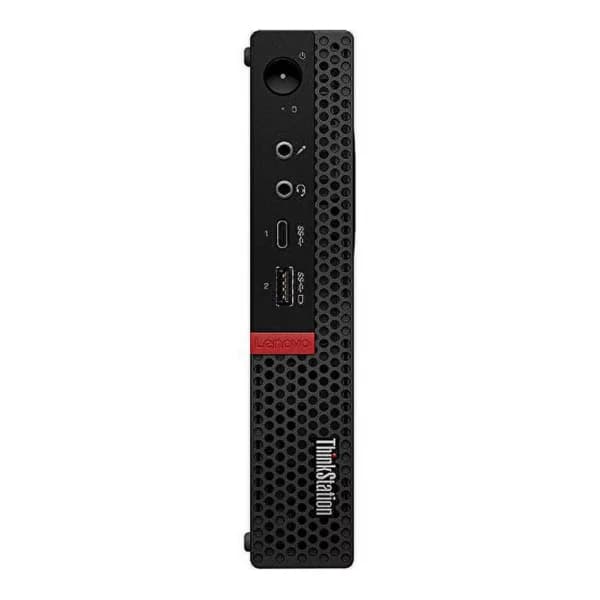
True to its name, the chassis measures roughly 179 x 182 x 34.5mm and weighs about 1.3kg — close to a 1-litre footprint that tucks behind a monitor, under a desk, or into a cabinet. It supports Lenovo's standard VESA mounting bracket, so you can attach it directly to the back of a VESA-compatible monitor and free up desk space entirely. Connectivity includes USB 3.0 and USB 2.0 ports, DisplayPort video output, and Gigabit Ethernet. This generation did not ship with built-in Wi-Fi, which is why Serverwale bundles a free USB Wi-Fi adapter with every M73 Tiny unit so you're online out of the box without extra spend.
Who It's For, Condition and Warranty
The M73 Tiny suits basic office computing, billing/POS counters, reception desks, digital signage, thin-client setups, or a compact secondary PC — workloads that value a tiny footprint and low power draw over raw performance. It is not the right pick for video editing, heavy multitasking, or modern creative workloads; for those, look at Serverwale's newer M710Q or M900 Tiny listings. Every unit sold by Serverwale is professionally refurbished, tested across power, memory, storage, and ports, and comes with a warranty and after-sales support — genuine value in a proven, if older, small-form-factor design.